
Ideas for learning spaces
How to Choose Coding Robots for Your Classroom
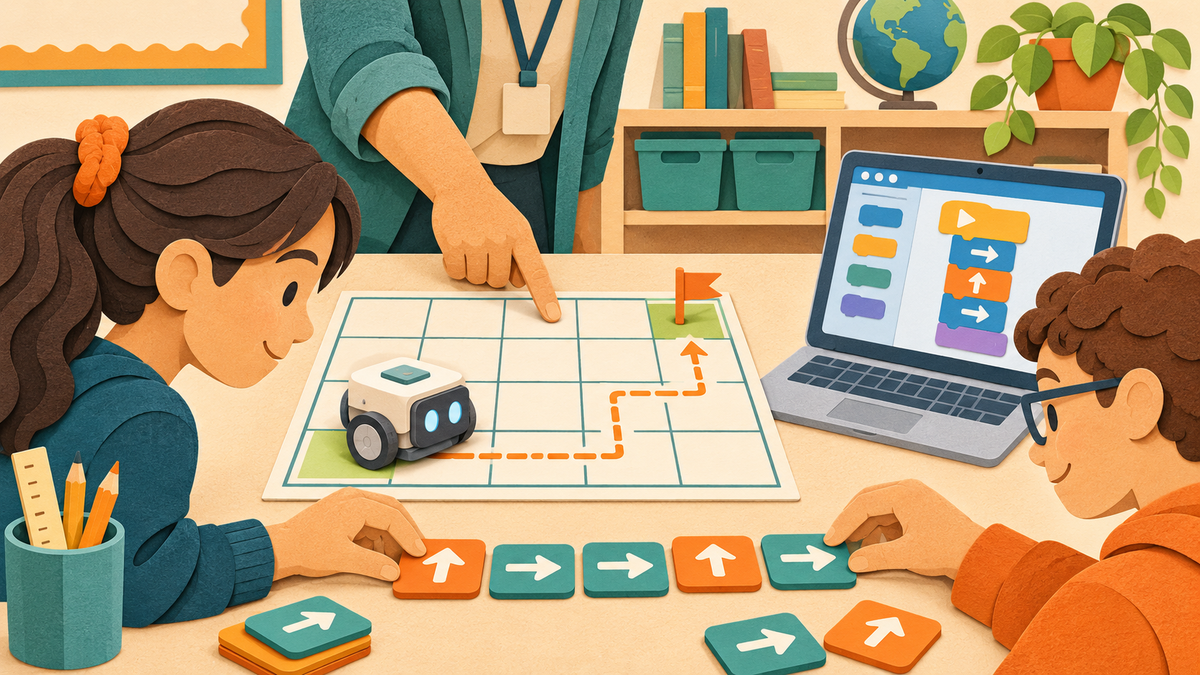
Choose a classroom coding robot by matching the programming method to your lesson, then checking devices, group size and ongoing costs. Physical coding blocks can suit early sequencing activities; visual programming adds on-screen logic; text-based Python supports a different stage of learning. Age guidance is a starting point. Reading confidence, prior experience and teacher support also matter.
This guide compares options sold by STEMclassrooms. The classroom examples are planning suggestions, not results from comparative product testing. Product information reviewed November 10, 2026.
Which type of coding robot fits your classroom?
| Learning goal | Option to explore | Check before ordering |
|---|---|---|
| Early sequencing with physical commands | Matatalab Coding Set: physical coding blocks, marketed for ages 4–9 | Space for the board, robot and routes; which add-ons your activity needs |
| Progression through visual coding | Edison V3: EdBlocks, EdScratch and EdPy options | Programming device, browser and USB connection |
| Block coding with a path to Python | VinciBot: visual blocks and Python, marketed for ages 8+ | MatataCode access and compatibility with school devices |
| Text-based Python robotics | Firia Labs CodeBot with Python Kit: manufacturer recommends grades 7+ | CodeSpace access, curriculum license and batteries |
These are different teaching routes rather than a ranking. A preschool sequencing center and a secondary Python course call for different tools.
Screen-free or device-based coding?
Choose screen-free activities when you want students to arrange, discuss and revise commands physically. The Matatalab Coding Set uses symbol blocks and does not require reading or a tablet for standard coding play. A simple lesson is to plan a route, predict the destination, run the program and change one instruction.
Choose device-based programming when your lesson calls for editing visual blocks or text on screen. Edison offers several programming environments; VinciBot supports blocks and Python through MatataCode; CodeBot focuses on Python through CodeSpace. Ask your technology team to check access before buying a class set.
Screen-free use does not mean every feature of every robot works without a device. Edison, for example, offers barcode activities as well as online programming. Check the requirements for the particular activity you intend to teach.
How many coding robots do you need for 24 students?
For 24 students, plan 12 robots for pairs, eight for groups of three, or six for groups of four. These are arithmetic planning examples, not manufacturer capacity guarantees. Smaller groups give each learner more time controlling the robot; larger groups need deliberate roles and turn-taking.
- Pairs: alternate programmer and tester roles.
- Groups of three: add a route planner or observer who records what changed.
- Groups of four: assign planning, programming, testing and recording roles, then rotate.
Count complete working stations as well as robots. Each group may also need a device, map, clear floor or table space, charging access and the correct accessories. Six robots can serve a rotation station without every student using robotics at once.
Compare the Edison 10-robot pack, 20-robot pack and 30-robot pack, or the six-robot VinciBot Classroom Set. Pack quantities may differ from the exact number your grouping plan requires.
What should you check before ordering?
- One clear learning goal: sequencing, debugging, sensors, mechanical design or Python.
- The exact package: robot count, cables, maps, teaching resources and separately sold expansions.
- School devices: operating system, browser, USB ports, app permissions and network access. Pilot the intended workflow on a managed school device.
- Power and storage: rechargeable batteries versus replaceable batteries, charging locations and labeled storage.
- License terms: included access period, simultaneous use and renewal cost. Do not assume a robot purchase includes permanent curriculum access.
- Delivery timing: confirm current availability against your teaching schedule, especially for a larger order.
Common buying questions
Which robot should we start with?
Start with the activity you want students to complete. For physical sequencing, explore a screen-free set. For block-based coding, compare Edison and VinciBot. For a Python-focused course, examine CodeBot's curriculum and device requirements. Try one complete setup before committing to a larger program.
Do we need one robot per student?
No. Pairs, small groups and rotating stations are possible classroom arrangements. Choose a grouping plan that gives each student a meaningful role and enough time to test a program.
Does every coding kit include a robot?
No. Construction expansions, maps, sensors and replacement parts can be accessory-only listings. Read the included-items section and compatibility notes before ordering.
What should we budget beyond the kit?
Check devices, adapters, charging equipment, consumables, replacement parts and any curriculum renewals. Compare the cost of a complete lesson-ready station rather than the robot price alone.
Build your classroom equipment list
Browse Robotics, Coding & Drones or request a quote with your student count, learning goals, existing devices and timeline. Those details help us work through quantities and equipment requirements with you.